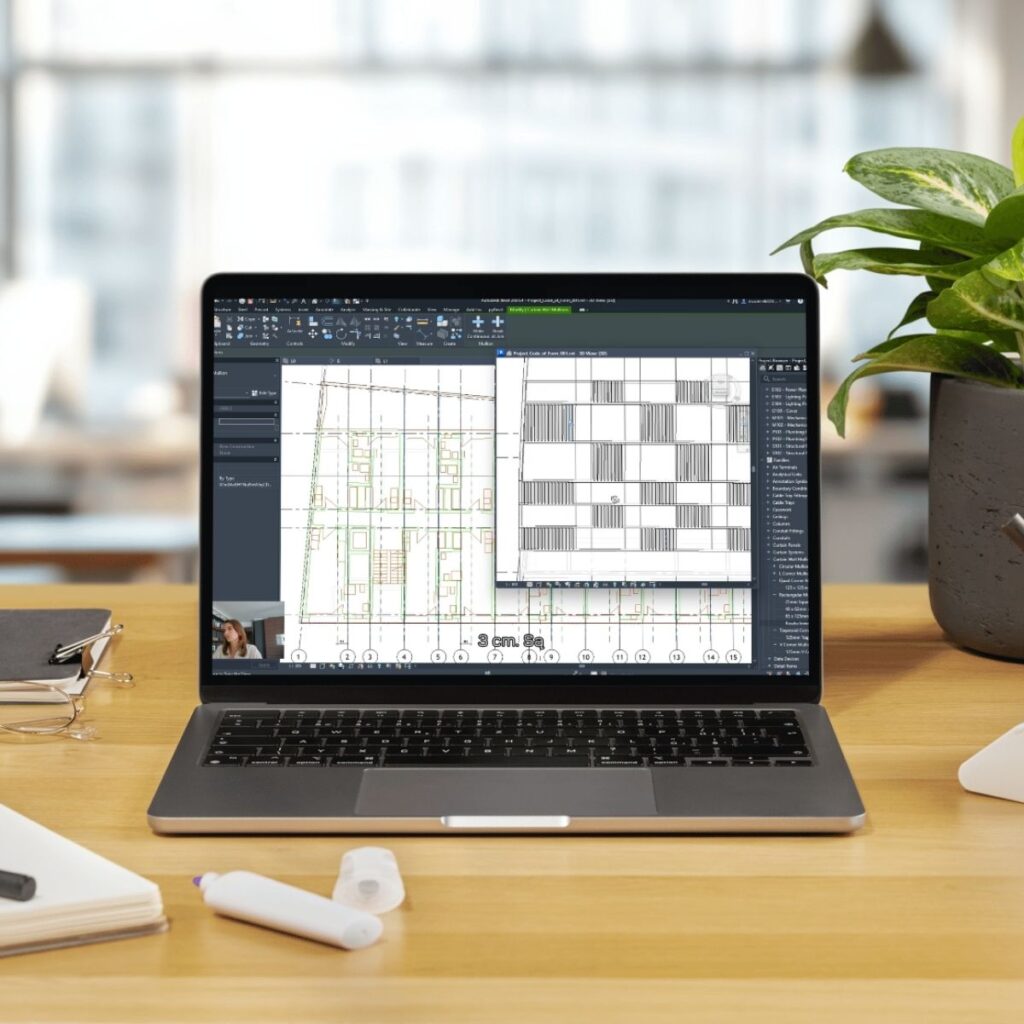
Learn through a real-life residential project -
with a template, checklist, and ready-to-use Revit families.

Development Project in Revit – Step by Step

Implement Revit in Your Practice and Start Designing Smarter

If you’ve been working with CAD or traditional tools until now – this course will show you, step by step, how to transition to Revit and build your own clear, structured workflow. No chaos. No confusion. Just smart systems and ready-made tools.

You’ll learn how to configure a project from scratch – from settings, sheets, templates, and base points, all the way to modeling elevation, building structure, and documentation.
All based on a real multi-family building project with commercial space, a green roof, and a rhythmic louver façade.

Instead of wasting time figuring it all out alone, you’ll get a ready workflow, checklists, and materials you can use in your office right away.

Code of Form jak tworzyć rysunki techniczne w Revit
Code of Form kurs z modelowania w Revit

Program

The Development Project in Revit is a hands-on course designed for designers who want to implement Revit in their practice. It focuses on a realistic design process – from first settings to finished documentation.

All exercises are based on an actual residential building project. The course emphasizes order, automation, and practical use of tools.

Practical exercises & files

During the course, you’ll create your own Revit template and get access to a full set of project files. You can also submit your work for review – we’ll help you get everything set up correctly.

– Getting Started with Revit: Environment Configuration
Learn how to prepare Revit for work: change the interface language, adjust settings, manage project files, and install useful extensions like pyRevit and Twinmotion.

– Using Family Libraries in Your Project
Understand family categories and parameters. Learn to use built-in libraries and how to find or adapt families to suit your design needs.

– BIM Parameters and Categories
Introduction to shared and project parameters. Using real-world examples, learn how to add custom parameters (e.g. warranty years) and apply them in practice.

– Creating Your Own Office Standards
Import and edit title blocks, sections, and tags. Set up custom sheet parameters and save a project template tailored to your studio’s standards.

– Placing the Building on the Site
Learn how to set project and site coordinates, insert topography, position the building, work with sun path tools, and orient the north arrow correctly.

– Linking External Files and Models
Understand the difference between importing and linking 2D/3D CAD files. Manage visibility, link Revit models, and work with PDF backgrounds.

– Grids, Axes, and View Ranges
Create and configure gridlines, dimension and lock elements to axes, place columns at intersections. Work with scope boxes and align views across sheets.

– Working with Levels
Learn to create project levels, set view depths, and organize your model vertically to prepare for the next stages of development.

– Modeling Walls, Columns, and Hatches
You’ll start modeling core structural elements – walls and columns. Learn how to create custom wall types and apply custom hatches for graphical clarity in sections and plans.

– Parametric Design and Grid Alignment
Understand how to attach walls and columns to the axis grid, enabling flexible modeling and easy structural layout adjustments.

– Levels and Foundations
Learn how to divide elements properly between levels and model foundations with accurate details. Master view range control, view depth, and element offset settings.

– Floor Systems and Structural Integration
Create various floor types and integrate them with walls and columns. Learn to differentiate between structural and architectural layers and align them with structural levels.

– Concept Massing as a Base for Elevations
Use conceptual massing to define building form and generate facade geometry. Create elevations and slabs based on mass faces – a fast way to organize structure before detailed modeling.

– Facade Modeling and Curtain Walls
Model facade shells from mass geometry and apply curtain walls as facade systems with louvers. Learn how to adapt wall types to your architectural concept.

– Structural Floor Details and Connections
Understand line weight display and how to model floor-to-structure junctions. Learn to split floors into layers, snap walls and columns to structural levels, and maintain consistency.

– Coding, Schedules, and Documentation
Create a consistent naming system for walls and floors (e.g. S1, P2), prepare level-based schedules, and manage quantity takeoffs. Learn how to document special cases like garage slabs and roof plates.

– Making Model Edits without Breaking Structure
Learn how to introduce design changes without disrupting the model – shift walls along axes, modify layers, align elements in plans and sections, and use global parameters for interior layouts.

– Repetitive Apartment Units and Furnishing
Create apartment groups with reference lines, edit individual instances, and add furniture using both built-in libraries and custom families.

– Parking and Ramp Modeling
Model ramps with slopes and curves, divide floors, and arrange parking spaces in underground garages.

– Doors and Door Symbol Representation
Build complete door families with frames, handles, and opening symbols. Learn how to manage door visibility and embed nested families.

– Stairs, Railings, and Elevator Shaft
Model stairs, railings, and slab openings. Create elevator pits and overhead spaces according to project documentation.

– Windows and Glazing
Design custom window families with details like jambs, sills, glass panels, and glass railings. Insert windows and curtain walls for large glazed areas.

– Materials and Appearance Control
Assign materials to elements, control edge visibility, align textures, and ensure material consistency across facades.

– Site and Surroundings Design
Create site layers, pavements, greenery, and small architecture. Add benches, trees, fences, garage paving, and design a custom bicycle rack family.

– Creating Construction Details
Learn how to model terrace slabs, parapets, balcony floors, and roof slopes. You’ll also add ventilation chimneys and roof edge finishes in line with execution documentation.

– Tags and Annotations in the Project
Create custom tags for doors and windows, annotate rooms, stairs, and materials. Understand how to use filters, spot elevations, and organize the project browser effectively.

– Schedules and Technical Graphics
Prepare door, window, room, and glazing schedules. Learn how to generate graphic versions and assign the right parameters to each type of schedule.

– Quantity Takeoffs and Element Control
Create schedules for quantity takeoffs and cost estimation. Learn how to group data, display correct parameters, and use calculation functions to deliver clear, usable documents for investors and cost consultants.

– Sheets and Documentation Layout
Place views on sheets, align title blocks, add legends and descriptions. Use guide grids and documentation templates to keep everything organized.

– Exporting Drawings and Models
Set line weights properly, export to PDF and DWG, and prepare your 3D model for delivery via CDE platforms.

What You’ll Gain

  • Implement Revit step by step – from interface setup to full building model and documentation.
  • Work with a ready-made system – including project templates, checklists, and family libraries you can customize.

  • Take control of your design process – learn parametric design, manage layout variations, and implement changes smoothly.

  • Prepare for printing and cost estimation – master schedules, sheets, exports, and documentation ready for investors and contractors.

  • Level up as a designer – learn to work faster, clearer, and more confidently with tools that support – not slow down – your work.

Praca w Revit jak zacząć krok po kroku
Szkolenie Code of Form modelowanie w Revit

Is This You?

  • You know you need to learn Revit, but don’t know where to start?

  • You want to implement a new tool at work, but lack time for setup and training?

  • You’re tired of manually fixing documentation and repetitive tasks?

  • Your projects are well-designed, but poor automation leads to chaos?

  • You need more structure – from files to drawings – but don’t have a working system?

If you answered “yes” to most of these – this course is for you. It will guide you step by step through implementing Revit, transitioning from AutoCAD without confusion, and building a workflow that supports your work – whether you work alone or in a team.

Monika Więcek

CEO of Code of Form | Executive MBA | BIM | LCA | AI | IARP Architect

For over a decade, Monika has worked at the intersection of architecture, technology, and sustainable construction. Her experience spans prestigious international projects – including the Stamford Bridge Chelsea Stadium – and the implementation of advanced digital tools in major industrial investments across Poland.

She specializes in parametric design, building life cycle analysis (LCA), digital twins, and BIM methodology. She co-founded the Y-Twin platform – a digital twin-based property management tool.

Her mission is to bring the best international practices to Poland and support the transformation of the construction industry toward sustainability and innovation.

Maher Matar Architect, Managing Partner SBS Engineering Group

I had the pleasure of working with Monica on several large-scale and high-profile projects, where her expertise in computational design and Building Information Modeling (BIM) played a crucial role in the project's success. Her ability to integrate computational design methodologies with BIM workflows has been invaluable, streamlining processes and enhancing project coordination. (...)
Mirosław Kruszyński President of the Board at the Research and Development Center

I fully recommend Monika as an outstanding specialist in construction and BIM. Her deep knowledge and vast experience make her an irreplaceable support in the implementation of innovative projects, especially in the context of sustainable development. She is organized, competent, and highly committed. Her unique ability to merge cutting-edge technology with practical design and management makes her a key partner in delivering efficient and environmentally conscious solutions.
Mateusz Golon Architect, Board Member at See.

I’ve been working with Monika for years and can always rely on her. Her trainings are not only insightful – they also energize and motivate our team to act. She’s a great person who supports our efforts to implement BIM and parametric thinking. Her commitment and energy truly drive our projects forward.
Narine Sohomonian Interior Designer at Versja

Monika explains and demonstrates how artificial intelligence can elevate architectural visualization to a whole new level. In her Stable Diffusion course, she not only taught us the tools – she gave us a new sense of realism and creative power. That’s tremendous value, especially for someone with CGI experience. I highly recommend learning with Monika!
Kurs Code of Form projektowanie Revit Szablon biblioteki modeli checklisty

Let's Recap What You Get:

Depending on your selected plan (BASIC or PRO), you’ll gain access to a hands-on Revit implementation program – step by step – based on a real-life multi-functional building project. Both plans offer a solid foundation. The PRO plan also includes mentoring and personalized consultations.


Included in both BASIC & PRO:

  • Full Revit project course access:
    30 step-by-step lessons through a complete residential project.
    (value: 1470 PLN)
  • Ready-to-use Revit template + family library:
    Walls, doors, windows, furniture – customizable to your standards.
    (value: 150 PLN)
  • Revit design process checklists:
    Structured steps you can reuse on future projects.
    (value: 90 PLN)
  • Access to student community & support:
    Share insights, ask questions, and get feedback.
    (value: priceless 😉)
 

Only in the PRO version:

  • Weekly live Q&A sessions with an expert for 2 months + recordings
    (value: 250 PLN x 8 sessions)
  • Verification of your firm’s Revit template
    (value: 250 PLN)
  • “AI in BIM” mini-workshop – exclusive bonus session
    (value: 470 PLN)
  • Certificate + LinkedIn recommendation – a signal of quality for clients and employers

Total PRO package value:
over 3,800 PLN

1,190 PLN (BASIC) or 2,900 PLN (PRO)

Pre-sale offer valid until June 19

Course starts: June 20
Get immediate access to prep materials: Revit template, checklists, family library, and setup guides.

📌 Note: Price increases after the course begins. Spots in the PRO version are limited.

How long do I have access to the platform?

You’ll have access to all course materials for 12 months from the date of purchase. Learn at your own pace – no pressure, no deadlines.

Yes. All plans include access to our private community of learners where you can ask questions, exchange feedback, and get inspired.

Of course. When checking out, just enter your company details – you’ll receive a full VAT invoice automatically.

Yes. We offer 0% interest PayU installment plans. You’ll see the option during checkout.

Yes. After completing the course, you’ll receive a digital certificate and – in the PRO version – also a personalized LinkedIn recommendation.

You’ll need Revit (we’ll guide you on how to access the trial or educational license) and a computer that meets Revit’s basic requirements. No extra tools needed.

Yes! The course is designed to walk you through Revit step by step – even if you’re transitioning from AutoCAD or other tools.

Absolutely. Whether you’re working alone or managing a team, the course helps you build a repeatable, structured workflow – and saves you time on every project.

„The best way to predict your future is to create it.”

Copyright © 2025 Code of Form. All rights reserved