
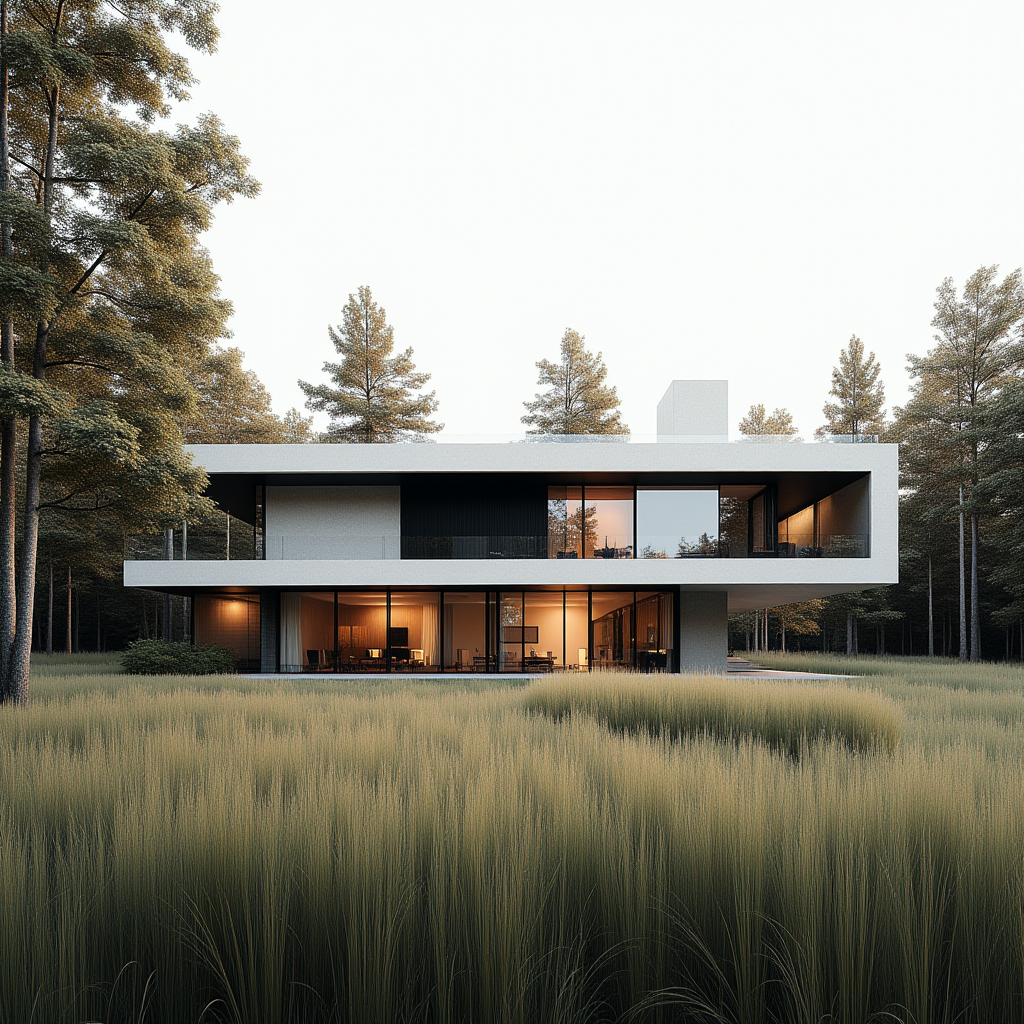

Learn How to Use Generative Tools to Create Stunning Project Images Architectural Visualization with AI

Gain a Competitive Edge by Learning from a Practitioner

Technology is transforming architecture – faster than ever before.
This module was created by an experienced professional who has spent years combining creativity with cutting-edge digital tools.

This isn’t just theory. You’ll learn how to apply AI in visualization workflows to gain speed, quality, and a whole new level of creative control.

Top design studios are already integrating AI into their processes.
If you want to stay ahead of the curve – now’s the time to level up.

You’ll get:

Wizualizacja biurowca stworzona przez AI
Platforma rozwojowa Code of Form dostępna online
Koncepcyjna wizualizacja budynku mieszkalnego z wykorzystaniem sztucznej inteligencji

Is this you?

  • You feel tech is moving too fast, and you don’t have time to keep up?

  • Your head is full of ideas, but it’s hard to show them quickly to clients?

  • Visualizations take too long and slow down your design process?

  • You feel you’re losing out to competitors with better visuals?

  • You’re tired of generating images that don’t reflect your design intent?

If you answered “yes” to most of these – this course is for you.
Learn how to use AI purposefully to create visuals that support your design process – not replace it.

What You’ll Gain

  • Learn to create concept and material variants – quickly test ideas and see how they shape the character of your space.
  • Use ready workflows tailored to your design style – from sketch or photo, through 3D models, to BIM integration.

  • Get a set of proven prompts – to give your visuals mood, clarity, and highlight what matters most in your design.

  • Boost post-production quality – master techniques to control light, tone, atmosphere, and visual narrative.

  • Gain a client-facing tool – speed up approvals, communicate intent clearly, and streamline decision-making.

Szkic wykorzystany do wygenerowania wizualizacji AI

Program

Code of Form: AI is a unique development program focused on practical tools and workflows tailored for the design industry.
The curriculum emphasizes hands-on sessions, collaboration, and real-world exercises.

– Model setup & configuration
Learn how to set up your environment, hardware requirements, Stable Diffusion settings, and starter best practices.

– Image generation patterns
Introduction to generative AI – how diffusion works and what techniques are used to achieve specific visual outcomes.

– Core settings
Explore key values (e.g. Sampling Steps, CFG Scale) that impact style and quality.

– Parameter calibration
Compare different parameter combinations and see how small changes can significantly affect the final result.

– Prompt engineering
Learn how to craft effective prompts to guide AI in generating visuals aligned with your concept.

– Hands-on exercises
Practice-based assignments: from first generations to comparative review of different workflows.

– Geometry Under Control
Learn how to influence the shape and proportions of generated images. Explore models, settings, and techniques for precise form control.

– Depth and Spatial Layout
Integrate 3D models with AI – use basic geometry and grid sketches to control perspective and spatial arrangement.

– Sketch Integration
Bring your own hand-drawn sketches into the AI workflow. Learn how to guide visualizations from your raw concept to polished results.

– Segmentation
Modify selected parts of the image, replace materials, or add new elements. Learn segmentation techniques to retain full control over the scene.

– Multi-Layered Control
Combine various control models (e.g. shape control + prompt control) to manage multiple visualization aspects simultaneously.

– Workshop: Visualization Content Control
Hands-on training to oversee the entire generation process – from concept through to final visual quality.

– Practice Exercises
Test your mastery of control tools and apply them in realistic architectural scenarios.

– Add Realism
Step-by-step post-production: color correction, adding people, objects, and environment elements to enhance detail and believability.

– Balancing the Scene
Learn when a minor fix is enough – and when a full redesign is needed. Find the right balance in adjusting your visualizations.

– Precise Masking
Use Inpaint with advanced masks to define areas for correction, retouching, or full replacement.

– Light Control
Manipulate light to create different moods and times of day. Learn how lighting tools in Stable Diffusion affect the atmosphere and impact of your project.

– Upscaling
Improve the resolution of generated images. Explore various upscaling methods and when to use them.

– Practice Exercises
Apply your skills to create final-quality visualizations ready for client or investor presentations.

– Workflow: Revit / Rhino Integration
Set up your views and environment correctly to reflect your design as accurately as possible.

– Workflow: Creative Geometry
Explore how AI can reshape and reinterpret context to spark creativity and speed up early-stage design.

– Workflow: Textures
Generate and enhance surface materials with AI. Perfect for visuals that require unique materiality and detail.

– Workflow: Centered Focus
Highlight key elements of your design (e.g., building core or interiors) and blend the background for cohesive output.

– Bring Images to Life
Learn how to animate your AI-generated visuals and turn stills into motion-driven project presentations.

Prowadzący szkolenia Monika Więcek

Monika Więcek

CEO of Code of Form | Executive MBA | BIM | LCA | AI | IARP Architect

For over a decade, Monika has worked at the intersection of architecture, technology, and sustainable construction. Her experience spans prestigious international projects – including the Stamford Bridge Chelsea Stadium – and the implementation of advanced digital tools in major industrial investments across Poland.

She specializes in parametric design, building life cycle analysis (LCA), digital twins, and BIM methodology. She co-founded the Y-Twin platform – a digital twin-based property management tool.

Her mission is to bring the best international practices to Poland and support the transformation of the construction industry toward sustainability and innovation.

Maher Matar Architect, Managing Partner SBS Engineering Group

I had the pleasure of working with Monica on several large-scale and high-profile projects, where her expertise in computational design and Building Information Modeling (BIM) played a crucial role in the project's success. Her ability to integrate computational design methodologies with BIM workflows has been invaluable, streamlining processes and enhancing project coordination. (...)
Agata Banaszek Architect at Gensler Architects

A good script is one you can still understand months later – and that’s exactly what Monika created for us. She led a masterclass on using Grasshopper for parametric facade design. Everything was clearly explained, so I could refer back to it throughout the project. Clear, practical, and effective – I recommend Monika to everyone!
Mateusz Golon Architect, Board Member at See.

I’ve been working with Monika for years and can always rely on her. Her trainings are not only insightful – they also energize and motivate our team to act. She’s a great person who supports our efforts to implement BIM and parametric thinking. Her commitment and energy truly drive our projects forward.
Narine Sohomonian Interior Designer at Versja

Monika explains and demonstrates how artificial intelligence can elevate architectural visualization to a whole new level. In her Stable Diffusion course, she not only taught us the tools – she gave us a new sense of realism and creative power. That’s tremendous value, especially for someone with CGI experience. I highly recommend learning with Monika!
Wizualizacje budynków i wnętrz z wykorzystaniem AI

Let's Recap What You Get:

  • Access to the AI in Visualization module – over 30 lessons on real workflows, techniques & applications (value: 1470 PLN)

  • Implementation-ready workflows – for all project stages, from sketches and photos to 3D & BIM (value: 450 PLN)

  • Prompt library – to set mood, tone, atmosphere & visual intent (value: 290 PLN)

  • Bonus: Post-production tool & preset pack – to raise the quality of your visuals (value: 190 PLN)

  • 1x live Q&A session + replay access – ask questions & see AI used in practice (value: 250 PLN)

  • Challenge & competition access – test your skills, get inspired, win prizes (value: priceless)

  • Access to the community & group support – share feedback, ideas & collaborate with others (value: you decide 😉)

Total value included in the course:

2650 zł

How long will I have access to the platform?

You’ll have access to all materials for 12 months from the date of purchase.
You can learn at your own pace and revisit the content whenever you need.

Yes! You’ll join an active community on the proven Discord platform – where you can ask questions, share your work, and get real-time support from instructors and other participants.

Yes, just enter your company details at checkout.

Yes, PayU 0% installments are available in Poland.

Yes, it’s designed for beginners with no prior knowledge.

Absolutely – AI tools can enhance any design process, regardless of the base software.

Yes, a personalized digital certificate is included.

Yes – you’ll need a GPU-compatible computer (NVIDIA, CUDA, min. 6–8 GB VRAM, 10–20 GB of disk space).
Step-by-step setup guides are included, and cloud alternatives are suggested if your hardware doesn’t meet the specs.

No – AI is a tool that supports your creativity and speeds up workflows. You stay in charge of the vision and intent.

„The best way to predict your future is to create it.”

Copyright © 2025 Code of Form. All rights reserved